

Custom WordPress CMS
Unlocking Potential: Custom WordPress CMS for Tailored Solutions
It’s crucial to have a content management system (CMS) that fits your specific needs when it comes to web development and digital marketing. A custom WordPress CMS is a very adaptable substitute for the current options. This post will go into great length explaining the benefits and key features of a custom WordPress content management system, as well as how to use it to enhance your online presence.
What is a Custom WordPress CMS?
A bespoke WordPress content management system is a modified version of the standard WordPress platform designed to meet particular demands. WordPress is known for its versatility and user-friendly interface, but companies may modify it further by making little changes. This customization can take the form of unique features, tailored themes, and workflows that are perfectly aligned with specific goals.
Why Choose WordPress?
WordPress is the most widely used content management system (CMS) on the internet, powering over 40% of all websites. Its flexibility is enhanced by the large collection of themes and plugins it has. Additionally, the platform is open-source, allowing developers to improve and alter it in accordance with certain requirements. This flexibility is a major reason why so many companies choose to use a bespoke WordPress content management system.
The Benefits of a Custom WordPress CMS
Investing in a custom WordPress CMS can yield numerous advantages. Understanding these benefits can help you make an informed decision when considering your website’s development.
Customized Features
Tailored functionalities are among the most important benefits of a bespoke WordPress content management system. Customization enables you to design precisely what you require, be it a distinct booking system, a tailored e-commerce solution, or certain interfaces with external services. This flexibility helps you achieve your business goals while also improving the user experience.
Enhanced User Experience
The user experience can be considerably improved with a custom CMS. You may construct a smooth user experience for visitors by matching the functionality and look of your website to the preferences of your target audience. Features that promote customer pleasure and engagement include tailored content, easy navigation, and quickly loading pages.
Improved Security
Without a Box Security vulnerabilities can exist with WordPress installations. You can add more security features to your WordPress CMS that are customized to your needs by customizing it. Custom login processes, improved user rights, and frequent upgrades that protect your website from attacks are a few examples of this.
The ability to scale
Your website must change as your company expands. Since a bespoke WordPress content management system is naturally scalable, adding additional features, pages, or functionalities is simple. Because of its scalability, your website can grow with your company without needing to be completely redone.
Key Features of Custom WordPress CMS
Understanding the features that make a custom WordPress CMS effective can help you leverage its full potential. Here are some key components to consider:
Unique Themes
To leave a lasting impression, a design must be aesthetically pleasing. Businesses can effectively display their brand identity by using custom themes. You can produce a visually coherent experience that connects with your audience by customizing themes to your unique needs.
Specialized Plugins
WordPress can be made more functional with plugins, and unique plugins can be created to fulfill specific requirements. Whether you need custom forms, complex analytics, or social media integration, custom plugins can improve the functionality of your WordPress website.
Advanced Elements of SEO
In order to increase organic traffic to your website, search engine optimization, or SEO, is essential. Advanced SEO capabilities like customized sitemaps, improved URL structures, and metadata can be incorporated into a custom WordPress content management system. These attributes raise your site’s exposure in search results and can greatly boost visitors.
Capabilities for User Management
Enhanced user management features can be provided by custom WordPress CMS solutions. This makes it possible to establish various user roles and permissions, which makes the content management system more controlled. These features are especially helpful for companies with complicated workflows or many of contributors.
Developing a Custom Word Press CMS
Creating a custom Word Press CMS involves several steps. Each stage plays a crucial role in ensuring that the final product meets your expectations and requirements.
1. Analysis of Requirements
Start by determining your unique demands. What features are you looking for? Who is the intended audience for you? Developing a customized solution requires extensive study and demand collection.
2. Creation and Modeling
The design step starts as soon as your needs are crystal clear. To see how the website will appear, wireframes and mockups must be made. Coding and implementing the needed features are the tasks of the development phase, which follows the completion of the design.
3. Examining
An essential step in the development process is testing. It include performing performance optimization, verifying that all features function as intended, and scanning the website for defects. A comprehensive testing process lowers the chance of problems after launch by assisting in the early identification of concerns.
4. Start
When everything is tested and adjusted, it’s time to make your custom WordPress content management system live. During the first launch phase, keep a careful eye on the website to address any unforeseen concerns.
5. Upkeep and Modifications
Following launch, continuous maintenance is essential. Maintaining the security and functionality of your website is made easier with routine updates, performance enhancements, and security checks.
Adding Custom CSS Using the WPCode Plugin
Here are the steps for adding custom CSS using the WPCode plugin:
- Install the WPCode Plugin Go to your WordPress dashboard, click on Plugins, and select Add New. Search for WPCode and click Install and Activate.
- Access the WPCode Snippets Once activated, go to Code Snippets in the WordPress dashboard.
- Add a New Snippet Click Add New and choose CSS Snippet from the available options.
- Write Your Custom CSS Enter your custom CSS code in the provided editor.
- Save and Activate After adding your CSS, save and activate the snippet to apply it to your website.
That’s it! Your custom CSS will now be applied to your WordPress site.
Hacks for Optimizing Your Custom WordPress CMS
For those looking to maximize the effectiveness of their custom WordPress CMS, here are some handy hacks:
- Use Caching Plugins: W3 Total Cache and other caching plugins can greatly increase the speed of a website, which will benefit both SEO and user experience.
- Make use of content delivery networks (CDNs): CDNs disperse your content among multiple servers, cutting down on load times for users from around the world.
- Establish Regular Backups: To guarantee the safety of your data, schedule regular backups using backup programs like UpdraftPlus.
- Optimize photographs: Use programs like Smush to reduce the size of photographs without sacrificing quality. This can significantly speed up how quickly pages load.
Common Mistakes to Avoid
Creating a custom WordPress CMS is a significant investment. Avoiding common pitfalls can ensure your project runs smoothly and successfully:
- Neglecting User Experience: Always prioritize user experience during development. A beautiful website is ineffective if users struggle to navigate it.
- Underestimating SEO: Don’t overlook SEO best practices during development. Integrating these elements from the start will yield better results.
- Ignoring Updates: Regularly update your WordPress site and plugins to protect against security vulnerabilities.
Alza Techs: Affordable Website Design & Management for SMBs to Enterprises
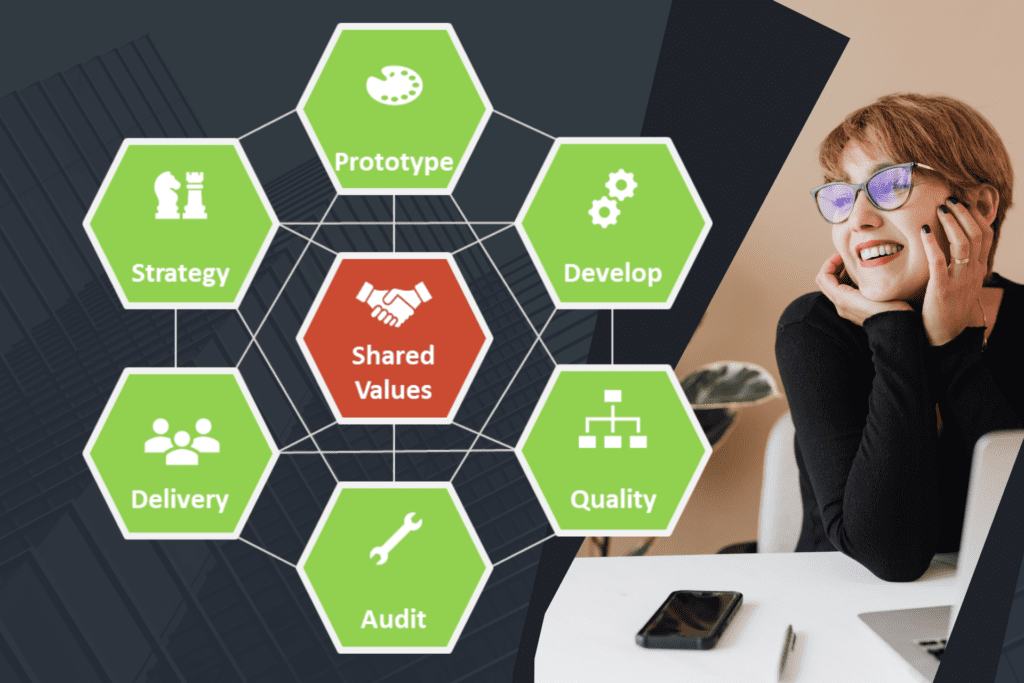
Alza Technologies offers affordable website design and management services that cater to both SMBs and enterprises. We provide stunning, secure websites that align with your brand, ensuring optimal performance and user experience. Our services deliver great value by focusing on customization, SEO, and Local SEO, making sure your site ranks well. Each package includes added bonuses for our clients, giving you even more value. Whether you’re a small business or a large enterprise, Alza Techs provides reliable solutions to manage your digital presence effectively. Check us out and discover how we can transform your website.
Conclusion
A custom WordPress CMS is an excellent investment for businesses looking to establish a unique online presence. By leveraging tailored functionalities, enhanced security, and improved user experience, your website can stand out in a crowded marketplace.
Understanding the development process, features, and best practices allows you to unlock the full potential of a custom WordPress CMS. Whether you are a small business, a startup, or an established enterprise, this tailored approach can significantly impact your online success. Embrace the possibilities of custom WordPress CMS and watch your digital presence thrive.
What is customized CMS?
A customized CMS (Content Management System) is a tailored software platform. It allows users to create, manage, and modify digital content. Unlike standard CMS options, a customized CMS meets specific business needs. Additionally, it offers flexibility and scalability. Users can easily adjust features and functionalities. As a result, businesses can enhance their online presence effectively.
How much does custom CMS cost?
The cost of a custom CMS varies widely. It typically ranges from a few thousand to several hundred thousand dollars. Factors include complexity, features, and design requirements. Additionally, ongoing maintenance and support add to the total cost. Therefore, businesses should budget accordingly. It's best to get quotes from multiple developers for a clearer estimate.