

WordPress Website Maintenance Services
Essential Guide to WordPress Website Maintenance Services
In the world of digital marketing, maintaining a WordPress website is more than just a good idea; it’s a necessity. WordPress is the most popular content management system (CMS), powering over 40% of all websites. With its popularity comes the responsibility of regular maintenance to ensure optimal performance, security, and user engagement. This guide explores the importance of WordPress website maintenance services and how to choose the best options for your needs.
Why WordPress Website Maintenance is Crucial
Running a WordPress site requires consistent attention. Neglecting maintenance can lead to numerous issues, including security vulnerabilities, slow loading times, and outdated content. Such problems can adversely affect user experience and search engine rankings.
Moreover, statistics show that websites that experience downtime can lose around 6% of their visitors every minute. This loss can translate into significant revenue loss for businesses. Regular maintenance helps prevent these issues, ensuring your site remains operational and appealing to users.
Key Benefits of WordPress Website Maintenance Services
Investing in WordPress website maintenance services offers multiple advantages. Here are some significant benefits:
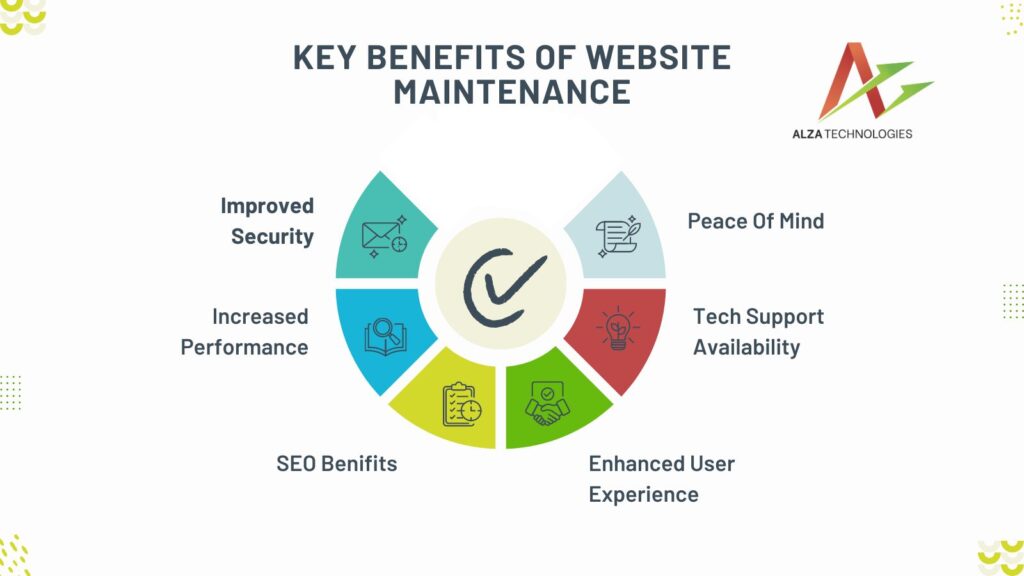
Increased Security
Cyber risks are constantly changing. To fix vulnerabilities, a dedicated maintenance service updates the core code of WordPress as well as its themes and plugins on a regular basis. Regular security audits also assist in spotting any risks before they become more serious.
Enhanced Performance
An important factor in the user experience is site speed. Maintenance services make sure your website loads quickly by optimizing it. Not only can faster websites increase customer satisfaction, but they also rank higher in search results.
Continual Backups
Any number of things, including human error, server malfunctions, and hackers, can cause data loss at any time. Automatic backups are a feature of dependable maintenance services that guarantee you can promptly restore your website in the event of an emergency.
SEO requires that you update your material often. Adding new blog entries, editing already-existing pages, or enhancing meta descriptions are examples of regular changes. Taking such activities might improve the visibility of your website in search engines considerably.
Tranquillity of mind
You are free to concentrate on your main business operations, knowing that your website’s maintenance is being handled by professionals. Your site is in good hands, so you can relax and work in a more productive setting.
Key Features to Look for in WordPress Website Maintenance Services
When evaluating WordPress website maintenance services, consider the following essential features:
1. Regular Updates
Frequent updates to WordPress core, plugins, and themes are crucial. A reputable service provider will ensure that all components are current, reducing vulnerabilities and enhancing functionality.
2. Security Monitoring
Look for services that offer continuous security monitoring. This includes malware scanning, firewall protection, and real-time alerts for any suspicious activity.
Ensure that the maintenance service includes performance checks and optimizations. This can involve caching strategies, image compression, and database cleaning to keep your site running smoothly.
4. Content Management
An excellent maintenance service helps with content updates. Whether it’s adding new articles or updating outdated information, having a service that manages content can save you time and effort.
5. Technical Support
Responsive technical support is a must. A reliable provider should offer 24/7 support, ensuring that any issues are addressed promptly.
Transparency in service is essential. Regular reports detailing performance metrics, security checks, and update logs will help you understand how well your website is performing.
How to Choose the Right WordPress Website Maintenance Service
Choosing the right WordPress website maintenance service involves careful consideration. Here are some steps to help you make an informed decision:
Assess Your Needs
Start by identifying your specific maintenance needs. Consider what features are most important for your site, such as security, backups, or content updates.
Research Providers
Investigate different service providers. Look for reviews, testimonials, and case studies to assess their reputation. Ensure they have experience with your particular WordPress setup.
Evaluate Pricing
Compare pricing structures. Some providers offer all-inclusive packages, while others may charge based on individual services. Determine which option fits your budget and requirements.
Inquire About Support
Check the availability of customer support. A reliable maintenance service should provide timely assistance, especially during emergencies.
Test Their Services
If possible, start with a trial period. Many providers offer short trials to test their services, allowing you to gauge their effectiveness before making a long-term commitment.
Common Mistakes to Avoid in WordPress Website Maintenance
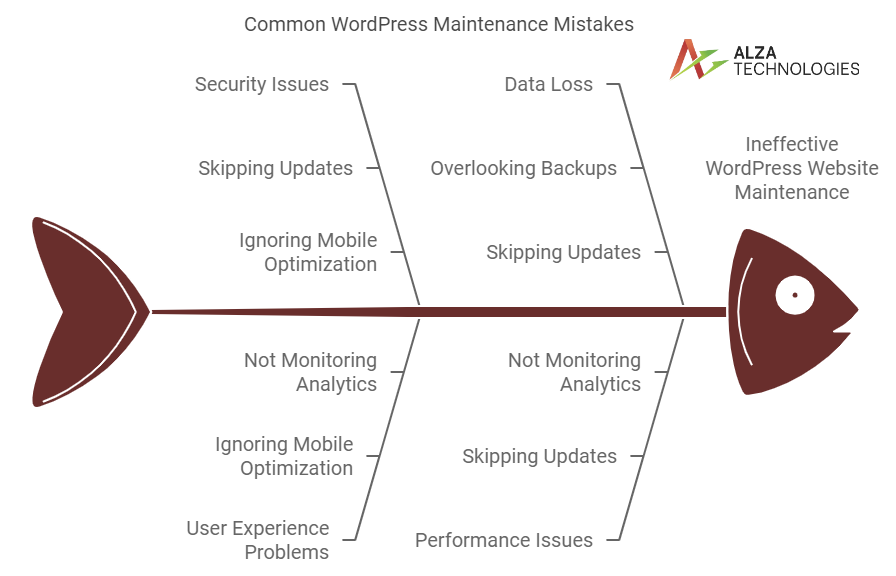
Even the best intentions can lead to pitfalls. Here are some common mistakes to avoid:
Skipping Updates
Neglecting to update WordPress, themes, and plugins can leave your site vulnerable. Regular updates are essential for security and performance.
Ignoring Mobile Optimization
With more users accessing websites via mobile devices, ensure your site is mobile-friendly. Failing to optimize for mobile can result in a poor user experience and loss of traffic.
Overlooking Backups
Underestimating the importance of backups can lead to disaster. Regularly scheduled backups can save your data and give you peace of mind.
Not Monitoring Analytics
Ignoring website analytics prevents you from understanding user behavior. Regularly review metrics to identify areas for improvement.
Innovative Hacks for Effective WordPress Maintenance
To streamline your WordPress website maintenance, consider these hacks:
- Automate Updates: Set up automatic updates for plugins and themes to ensure your site remains current without manual intervention.
- Create a Maintenance Checklist: Develop a checklist for monthly maintenance tasks. This will help you stay organized and ensure nothing gets overlooked.
- Utilize Performance Monitoring Tools: Tools like Google PageSpeed Insights can help identify performance issues, guiding necessary optimizations.
- Engage with Users: Use feedback forms and surveys to gather user input. This will help you understand their needs and enhance your website accordingly.
- Leverage Caching Plugins: Utilize caching plugins to improve load times and overall site performance.
High-Quality Managed Website Services with SEO Optimization

Alza Technologies offers top-notch managed website services, focusing on comprehensive maintenance and security. We ensure your site remains fully optimized, addressing pitfalls and enhancing SEO performance. Our expert team provides regular updates, security monitoring, and performance improvements to keep your website running smoothly. We focus on eradicating issues that can harm your site’s performance and visibility, ensuring your business stays ahead online. Whether you’re a small business or a large enterprise, we deliver the quality and attention your website deserves. Check us out and boost your website today!
Conclusion
Investing in WordPress website maintenance services is crucial for ensuring your site remains secure, fast, and user-friendly. By understanding the key benefits, features, and potential pitfalls, you can make informed decisions that enhance your online presence.
Choose a provider that meets your specific needs, and consider integrating innovative hacks to streamline the process. A well-maintained website not only attracts visitors but also builds trust, ultimately driving growth for your business. Take the time to prioritize maintenance, and watch your WordPress site flourish.
How much should I charge to maintain a WordPress website?
To maintain a WordPress website, charge between $50 to $300 per month. Start with basic maintenance, like updates and backups, for around $50. For more extensive services, such as security monitoring and SEO, consider $100 to $300. Adjust your rates based on the website's size and complexity. Additionally, factor in your expertise and the client’s needs.
Does WordPress have a maintenance mode?
Yes, WordPress has a maintenance mode. This mode activates automatically during updates. It informs visitors that the site is temporarily unavailable. You can also enable it manually using plugins. This way, you control when users see the message. Overall, it helps maintain a professional appearance while you work.